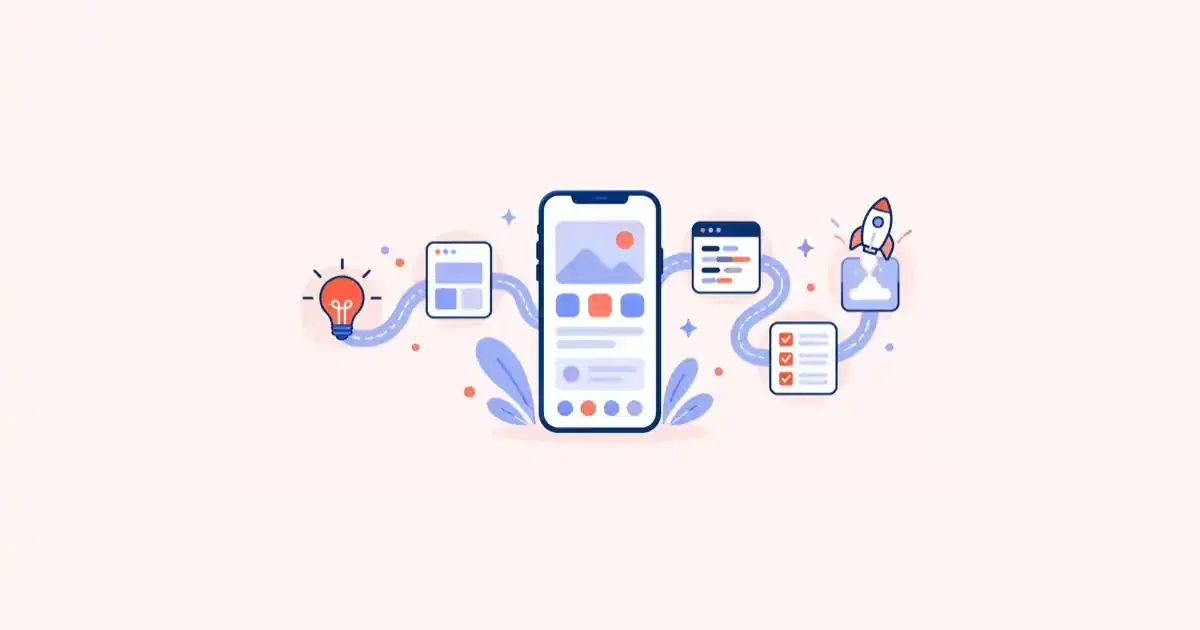
The Ultimate Guide to Mobile App Development: From Idea to Launch
A seven-stage guide to building a mobile app for 2027: validation, native vs cross-platform, design, build, testing, store launch and post-launch growth.
By Tart Labs·Published
Want to start a Project?
share
share
Written by Gowtham Raj, Director at TartLabs, whose teams deliver mobile app development projects for startups and established businesses. The stage order below is the one we follow on client builds.
The Short Answer
Mobile app development moves through seven stages: validate the idea, define scope, choose a platform approach, design, build, test, and launch, followed by an ongoing improvement loop. Skipping or compressing any of the first three is the most common reason an app misses its budget or its audience. The market rewards the effort. In Q2 2026, consumers spent a record $24.4 billion on non-gaming apps across the App Store and Google Play, according to Sensor Tower. The same quarter, spend on games fell.
This guide walks through each stage in order, covers the platform decision in detail, and flags the store rules that take effect or expand in 2027.
Key Takeaways
Non-game apps are where the money is moving. Sensor Tower's Q2 2026 Digital Market Index puts non-gaming consumer spend at $24.4 billion, up 14.6% year over year, while game revenue fell 4.5%.
Validate before you build. A clickable prototype shown to real users costs a fraction of a coded feature that nobody wanted.
The platform choice is a business decision. Native, cross-platform and web-based options trade off performance, cost and speed. The right pick follows from your features, not from fashion.
Store rules now shape the plan. Apple charges $99 per membership year, and Google's Android developer verification began enforcement on 30 September 2026 in four countries, and Google plans to expand it worldwide in 2027.
Launch is the start of the work. Retention, crash rates and reviews decide whether an app survives its first year.
The Market You Are Building Into
Mobile is a large and still-growing market, but growth is uneven. Sensor Tower's Q2 2026 report found that in-app purchase revenue across both stores reached $43.6 billion, up 5.3% year over year. Non-gaming apps generated $24.4 billion of that, a record, and consumer spend on generative AI apps alone rose 108%. Gaming was the weak spot, down 4.5%. These are the newest full-quarter figures available, so treat them as the baseline for a 2027 launch plan.
Frequently Asked Questions (FAQ)
It depends on scope, platform approach and integrations. A focused MVP with a handful of flows takes far less time than a multi-role platform with payments and real-time features. The reliable way to get a number is to define the user flows first, then have a development partner estimate against them.
Let's connect and create something amazing together!
Got an idea or project in mind? Whether it's custom software, a dedicated dev team, or help with digital transformation, we're here for it. Reach out—we'll bring your vision to life.
An 8-step guide to building an AI-powered mobile app: pick the use case, decide on-device or cloud, prototype, test, meet EU and India rules, and launch.
AI coding tools speed delivery but studies show more duplication, less refactoring and weaker stability. What the 2026 data says and how to contain the debt.
Thinking through a new idea or stuck with a challenge? Drop us a message—we'll listen, brainstorm, and help move things forward.
For a business owner, the message is practical. Users are paying for utility, productivity, finance, health and AI-assisted tools. If your idea solves a recurring problem, the spending exists. What it does not guarantee is that your app will be found, which is why the early stages below spend so much time on who the app is for.
Stage 1: Validate the Idea
Validation answers one question: will a specific group of people use this repeatedly, and will they pay for it directly or indirectly? Before anyone writes code, do four things.
Name the user and the problem. "Field technicians who lose an hour a day to paper job cards" is a user and a problem. "Everyone who wants to be productive" is not.
List the alternatives people use today. Spreadsheets, WhatsApp groups, a competitor's app and a manual process all count. Your app has to beat the strongest of these on at least one thing users care about.
Talk to 10 to 15 target users. Ask what they do now and what it costs them. Do not pitch the app.
Test willingness to commit. A waitlist signup, a pilot agreement or a pre-order is stronger evidence than a friendly "sounds great."
The output of this stage is a one-page brief: the user, the problem, the alternative, and the single outcome the app must deliver. Teams that write this page tend to cut features earlier and argue less about priorities later. If the commercial case is the open question, our guide to the ROI of mobile app development shows how to model it.
Stage 2: Define Scope and a Minimum Viable Product
A minimum viable product (MVP) is the smallest version of the app that delivers the core outcome to a real user. It is not a stripped-down demo. It has to work well enough that someone completes the main task and comes back.
Write the scope as user flows rather than feature lists. A flow such as "a technician opens a job, captures photos, collects a signature and syncs" exposes the real work: offline storage, camera permissions, signature capture and a sync strategy. A list that says "job management" hides all of it.
Then sort every flow into three groups.
Group
Meaning
Example
Must have
The app fails its purpose without it
Sign in, view jobs, complete a job
Should have
Users will ask for it within weeks
Push reminders, search
Later
Real value, but not before launch
Analytics dashboard, multi-language
Build the first release from the must-haves. Move everything else to a dated backlog so it is deferred rather than rejected.
Decide the backend at this stage too. Most apps need user accounts, a database, an API and file storage. Whether that is a managed service or custom cloud application development depends on how much logic sits on the server and how much data you must control.
Stage 3: Choose Your Platform Approach
This is the decision with the largest effect on budget and timeline. There are four realistic routes.
Approach
How it works
Best for
Main trade-off
Native (Swift for iOS, Kotlin for Android)
Separate codebase per platform
Apps that need top performance, deep OS features or the newest platform APIs
Two codebases mean two teams and higher cost
Cross-platform (Flutter, React Native)
One codebase compiled or bridged to both platforms
Most business apps, MVPs, teams that need both stores quickly
Some platform-specific features need native code
Progressive web app (PWA)
A web app installed from the browser
Content and simple tools where store presence is optional
Limited access to device features, weaker discovery
Low-code or no-code
Visual builders
Internal tools and very early prototypes
Ceiling on customization and ownership of the result
How to decide. Start from the features, not the framework. If the app relies on heavy 3D graphics, advanced camera pipelines or background processing that must follow each OS's newest rules, native earns its cost. If it is forms, lists, maps, payments, chat and notifications, which describes most business apps, cross-platform delivers both stores from one team. Our Flutter app development practice uses this route for most MVPs because the single codebase shortens the path to a first release and keeps later changes cheaper.
Two checks help. First, list the five device features the app depends on most, such as Bluetooth, background location or biometrics, and confirm each has mature support in your chosen framework. Second, check which platform your first users carry. If 90% of your pilot group uses Android, launching there first is a legitimate plan.
Stage 4: Design for the Thumb, Not the Mockup
Good mobile design starts with constraints: a small screen, one hand, interrupted sessions and variable networks.
Map the flows before drawing screens. Wireframes show structure; visual design comes after the flows work.
Follow platform conventions. Apple's Human Interface Guidelines and Google's Material Design exist because users expect familiar patterns. Cross-platform apps can still adapt navigation and controls per platform.
Design the empty, loading and error states. These are what users see on a weak connection, and they are often forgotten until testing.
Build for accessibility from the start. Support dynamic text sizes, sufficient color contrast and screen readers. Retrofitting is harder than including it.
Prototype and test. Put a clickable prototype in front of five users. Most usability problems appear within the first five sessions.
Hand developers a design system, meaning shared colors, type, spacing and components, rather than a folder of screens. It keeps the build consistent and makes the second release much faster.
Stage 5: Build in Short Cycles
Run development in two-week sprints that each end with a working build on a real device. Stakeholders should be able to install and use the app every sprint, not wait for a big reveal.
A practical build order:
Foundation. Project setup, authentication, navigation shell, API and environment configuration, and a continuous integration pipeline that produces a test build on every merge.
Core flow first. Build the one flow that delivers the main outcome end to end, even if it is plain.
Supporting flows. Profile, settings, notifications and onboarding.
Integrations. Payments, maps, analytics, crash reporting and third-party APIs.
Hardening. Performance, offline behavior, security and polish.
Security deserves its own line item. Store tokens in the platform keychain or keystore, never in plain preferences. Use HTTPS everywhere, validate input on the server, and request only the permissions the app needs, at the moment it needs them. If the app handles health, payment or personal data, check the regulations that apply in your markets before design is final, because they can change what you store and where.
Testing is more than finding bugs. It confirms the app behaves under the conditions your users actually have.
Functional testing. Every flow and edge case against the written requirements.
Device and OS coverage. Test on a spread of screen sizes, OS versions and low-memory devices. Emulators help, but they miss thermal limits, real camera behavior and vendor-specific quirks.
Network testing. Throttle to slow connections, switch between Wi-Fi and mobile data, and go offline mid-task.
Performance. Measure cold-start time, scrolling smoothness, battery drain and memory use.
Security testing. Review data storage, network traffic and permissions, and run a dependency vulnerability scan.
Beta testing. Release through Apple's TestFlight and Google Play's testing tracks to a small real audience.
Automate regression tests for the core flow so every release re-checks the path that matters most. Set a release rule in advance: for example, no open critical bugs and a crash-free session rate your team agrees on.
Plan time here for Google Play's testing rules. New personal developer accounts have been required to run a closed test with a minimum number of testers before applying for production access, and requirements like this change, so confirm the current rule in Play Console before you set a launch date.
Stage 7: Prepare and Launch
Submission is a project of its own, and delays here are avoidable.
Google Play Console: a one-time registration fee, currently $25, plus identity verification.
Commissions: Apple's page states that its Small Business Program lowers the App Store commission on digital goods from 30% to 15%. Google's fee structure also varies by region and payment method, so check current terms for each store before modelling revenue.
Android developer verification. Google began enforcing developer verification on 30 September 2026 for users in Brazil, Indonesia, Singapore and Thailand, and plans to expand it to all certified Android devices in 2027, according to its official developer guide. Apps distributed through Google Play are registered automatically, but you should confirm your identity details and package names are in order. If you distribute outside Google Play too, you need to register those apps and signing keys. Any app you launch in 2027 falls under the global rollout.
Apple SDK requirement. Apple's upcoming requirements page currently lists Xcode 26 and the iOS 26 SDK as the minimum for uploads since 28 April 2026, with no 2027 requirement published yet. Check it before you lock a 2027 submission date.
Store listing. Prepare the name, subtitle, description, keywords, screenshots, a preview video and a privacy policy URL. Screenshots should show the core outcome in the first two frames, because most users never swipe further.
Review readiness. Apple and Google both reject apps for broken links, missing login credentials for reviewers, incomplete privacy disclosures and placeholder content. Provide a demo account and notes explaining any feature that needs special hardware or permissions.
Staged release. Launch to a small percentage of users first, watch crash and error rates, then widen. Both stores support phased or staged rollouts.
After Launch: The Loop That Decides Success
An app is a product that keeps changing. Set up measurement before launch, then review it weekly.
Activation. What share of new users complete the core flow in their first session?
Retention. How many come back after day 1, day 7 and day 30? Benchmarks vary widely by category and by source, so compare against your own baseline from the first cohort rather than one published figure.
Stability. Track crash-free sessions and slow-start rates by device and OS version.
Ratings and reviews. Reply to reviews, and ask for ratings after a success moment rather than at first launch.
Funnel drop-offs. Find the step where users abandon and fix that one first.
Plan a release rhythm of one meaningful update every two to four weeks in the early months, and budget for ongoing maintenance. Operating systems release a new major version every year, and every release can break an assumption in your app.
Common Mistakes to Avoid
Building for everyone. Apps that serve a defined group launch faster and retain better.
Treating the MVP as version one of everything. Scope grows until the date slips.
Choosing a framework before the features. Fashion is a poor reason to rebuild later.
Leaving testing to the end. Defects found at launch cost far more than defects found in a sprint.
Ignoring store policy until submission week. Android developer verification already applies in four countries and expands worldwide in 2027.
Having no post-launch plan. Without a measurement and release routine, early users drift away.
The Bottom Line
Successful apps in 2027 come from sequence and discipline: validate the user and problem, scope an MVP, pick the platform approach that fits the features, design for real conditions, build in short cycles, test on real devices and launch in stages. Then measure and keep improving. If you are planning a build and want a second opinion on scope, platform choice or timeline, get in touch with the TartLabs team.