

By Gowtham Raj, Director at TartLabs, overseeing enterprise AI implementations and bespoke software solutions.
Introduction to AI Customer Support Automation
Picture this: support reps handling an endless stream of repetitive inquiries while customers sit through lengthy delays waiting for answers that could be handled in minutes. The reality many support teams face is stark—a backlog that never empties, identical questions appearing in hundreds of variations, and staff spending their time on copy-paste work instead of genuine problem-solving. Operating this way quickly becomes unsustainable as organizations expand.
Today's customers demand instant responses, whether at noon or midnight. Each interaction gets measured against every excellent experience they've ever had. When service falls short of that expectation, they notice immediately. This standard isn't shifting. Rather, it's prompting support teams to reconsider which tasks genuinely demand human involvement versus which ones just repeat the same patterns endlessly.
Older approaches to support staffing worked like this: more volume equals more heads, more shifts, more spending. This equation breaks when volume outpaces budget growth. Teams slip into reactive mode, constantly scrambling rather than anticipating. Bringing new people on takes considerable time, and seasonal rushes still overwhelm. Critical information often sits locked in the knowledge of key experienced reps instead of being stored somewhere the entire group can access and search.
This is where AI development shifts the calculation. AI customer support automation merges conversational systems, smart distribution, and self-help capabilities so common questions resolve without human involvement and team members tackle work that genuinely calls for judgment, understanding, and empathy. This guide will explore what that looks like: the key building blocks worth implementing, realistic gains and trade-offs, and a step-by-step approach for launching without disrupting your existing workforce.
Understand AI Customer Support Automation
What precisely does it mean to "automate" support work, and where should automation end? Before diving into specifics and implementation details, clarifying what this approach does and doesn't handle makes sense, as the term carries different meanings across vendors and organizations.
What AI Customer Support Automation Means
AI customer support automation leverages natural language processing, machine learning, and conditional logic to tackle work that previously required a human for every interaction. It's not about deploying a chatbot and calling the job complete. Rather, it's constructing a tiered structure. Frequent, basic inquiries get resolved instantly. Trickier or sensitive matters get directed appropriately. Each exchange—whether handled by software or people—feeds a shared knowledge repository that becomes increasingly useful over time.
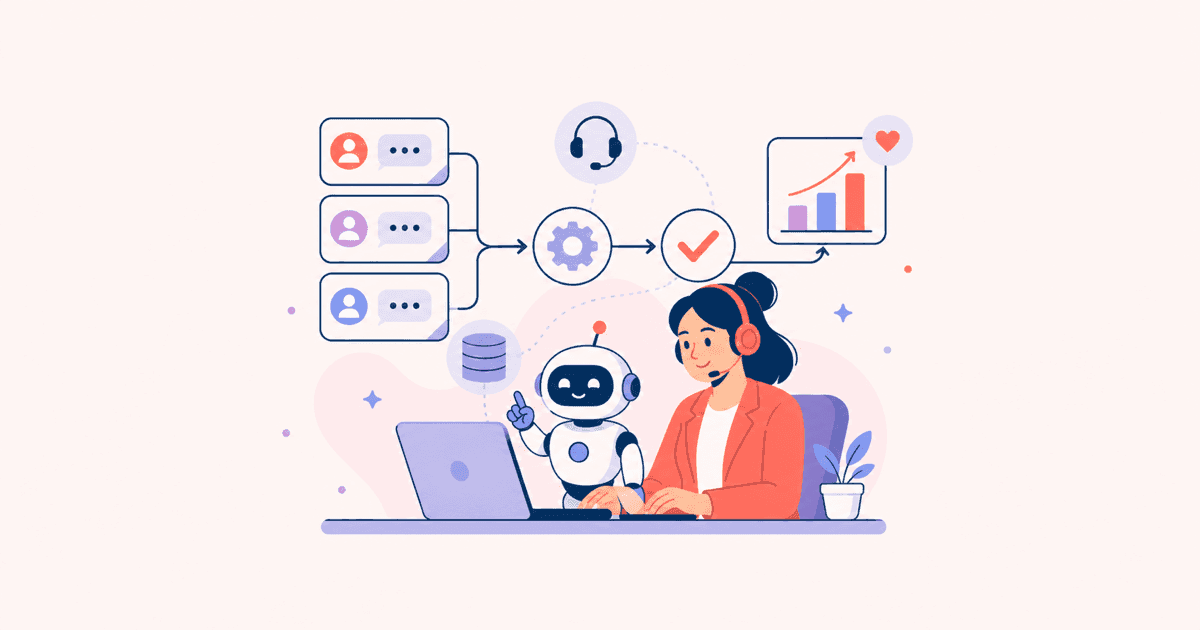
In practice, this typically involves multiple interconnected systems rather than a single monolithic tool. A dialog engine meets customers at the entry point, a decision layer determines what needs human attention, a repository of known solutions answers self-service lookups, and support tooling assists human operators handling escalated work. Each part performs poorly on its own. Real value emerges from their integration and connection to broader business systems.
- Automated sorting that reviews incoming requests and categorizes by subject matter, priority level, and difficulty
- Dialog systems that resolve typical questions through chat, written messages, and phone
- Self-help functions that let customers locate solutions independently
- Support tooling that delivers pertinent data to team members in real-time
- Continuous improvement mechanisms that enhance accuracy as results inform future decisions
Why Traditional Support Methods Fall Short
Conventional approaches don't scale efficiently because growth is linear: double the incoming volume, and staffing needs roughly double to maintain equivalent response quality. This approach works adequately at small scale but becomes costly and fragile as business grows, particularly when demand spikes without warning during product launches, seasonal surges, or unexpected issues that flood tickets suddenly.
The fundamental issue isn't just economics—it's organizational design. Routing every question, regardless of repetition, through a person creates a hard cap on throughput tied to current headcount. A high-demand query, like tracking problems during peak periods, can inundate the system and delay answers for unrelated issues, even simple ones waiting in line.
- During busy periods, answer delays grow because workforce flexibility lags behind demand
- Solutions trapped in individual staffers' experience rather than accessible shared resources
- Clients must retell situations across multiple platforms due to fragmented information
- Getting new people productive takes extended periods; answer consistency varies significantly
- Round-the-clock coverage comes at considerable expense
Also Read: What Is AI App Development and Why Does Your Business Need It?
Explore the Core Features of AI Customer Support Automation
What components make up an effective modern support platform? Below are foundational capabilities most comprehensive setups incorporate gradually, though not every organization requires all of them initially. Most groups begin with one or two components—typically conversational capabilities and self-help options—and layer in others after validating results. Rolling out all six simultaneously is a frequent path to overwhelming both the technical staff and frontline operators.
Conversational AI and Virtual Agents
Dialog-based AI enables chatbots and voice systems that interpret language meaningfully and conduct genuine exchanges, rather than forcing users through preset menu trees.
- Comprehends what users want and recalls discussion context across extended exchanges
- Manages typical requests such as shipment tracking, product exchanges, and profile modifications
- Moves responsibility to humans smoothly when confidence drops below acceptable thresholds
- Serves clients in numerous languages without needing separate operator teams
Intelligent Ticket Routing and Triage
Smart routing instantly examines arriving tickets and directs them appropriately based on area, time sensitivity, and prior connection history.
- Organizes requests by type and urgency as they land in the system
- Links tickets to workers whose background or expertise makes them the best fit
- Highlights critical or sensitive matters requiring prompt review
- Offloads the sorting responsibilities formerly handled by team supervisors
Sentiment Analysis and Emotion Detection
Tone examination studies customer language to gauge frustration, urgency, or pleasure—data beyond the literal message itself.
- Marks dissatisfied or at-risk clients for preferential handling
- Aids leaders in tracking interaction standard in live conversations
- Signals when moving from machines to operators becomes appropriate
- Helps craft computer responses that match the customer's emotional state
Knowledge-Base Automation and AI-Powered Self-Service
Help systems let clients discover solutions themselves via searchable reference materials, assistance Q&As, or help panels, removing the need to contact a representative.
- Shows fitting resources based on what visitors are seeking
- Refreshes automatically as staff uncover and document new problem categories
- Decreases the number of new requests for frequently encountered matters
- Functions across web, smartphones, and built-in help interfaces
Omnichannel Orchestration
Cross-platform management preserves communication history as visitors interact through messaging, written support, public platforms, and calls, so they never need to repeat themselves.
- Keeps a unified conversation log accessible from every medium
- Enables customers to shift between platforms mid-discussion without losing continuity
- Gives staff a merged interface in lieu of separate disconnected systems
- Maintains aligned messaging and rule application throughout all channels
Human Handoff and Agent-Assist
Operator-support systems work together with staff rather than replacing them, offering suggestions, sharing pertinent resources, and presenting prior communication details at the handoff moment.
- Delivers instantaneous summaries when escalation occurs
- Recommends steps forward or preset options during real-time conversations
- Reduces operator time hunting through archives for necessary background
- Keeps client situations intact so transitions feel simple, not redundant
Also Read: How to Integrate AI Features into Your Existing Software
Know the Benefits of AI Customer Support Automation for Businesses
Support departments are investing in machine-driven systems right now because outcomes show across numerous metrics simultaneously. Responsiveness, economics, reachability, customer mood, and judgment quality—frequently in the same reporting period.
Uptake mirrors this trend: from 39% to 66% of service environments deployed AI help in annual growth (Salesforce State of Service Report 2026), indicating sufficient returns that adoption continues accelerating.
Quicker issue handling is typically what groups detect initially. Routine matters that previously waited in queues for extended periods get resolved in seconds. Even complicated problems advance faster when reps open cases with comprehensive background rather than beginning fresh each round. This velocity builds: smaller queues reduce frustration, less anger means fewer rage replies filling queues, creating beneficial cycles.
Spending reduction follows naturally. Rather than adding staff for each bump in ticket count, software absorbs the recurring portion of that growth. Groups can expand based on authentic complexity rather than sheer volume. This doesn't mean fewer workers; usually the identical group handles substantially larger client bases without deterioration.
- Quicker completion: Frequent matters resolve immediately rather than lingering in queues
- Budget improvement: Software carries repetitive scaling, so hiring matches authentic complexity not raw tickets
- Round-the-clock support: Customers receive help on their own timing, unrestricted by business schedules
- Adaptability: Capability stretches during seasonal rushes minus recruitment urgency
- Greater client contentment: Shortened delays and uniform responses strengthen relationships
- Measurement and visibility: Exchanges produce insights showing reoccurring gaps and feature requirements
These outcomes seldom come in isolation. Groups trimming resolution periods often witness satisfaction metrics move concurrently. Operations with clearer understanding of repeated concerns can also fix the underlying item or guideline generating them. That remedy then organically cuts prospective ticket counts. Combined advantages explain why adoption frequently recovers expenses in less time than basic headcount comparison suggests.
Also Read: How to Choose the Best Enterprise LLM for Your Business
How AI and Human Agents Work Together
Does innovation mean eliminating support staff, or does it rework job functions? The correct answer is the latter. Enterprises seeing strongest value aren't shrinking rosters; they're redirecting people toward conversations needing discernment, humanity, or clever thinking, and allocating routine work to machines.
Frame it as organized specialization rather than displacement. Machines handle predictable, high-volume work: account resets, package location, standard profile adjustments, anything with a stable, repeatable resolution. People manage situations demanding nuance: customers frustrated by past failures, out-of-the-ordinary billing complications, or interactions requiring careful connection management.
This rework also shifts what operators do day to day, frequently for the better. Rather than drowning in mundane data collection, reps dive into complex troubleshooting, keeping important clients, and interpersonal ties that ensure long-term retention. Not merely hopeful language. 85% of operations leaders are broadening, not cutting, staff duties despite expanding automation adoption (Gartner, April 2026). That defies mass job-loss predictions. Staff freed from tedious cycles now get room to genuinely address issues.
Trust factors deserve explicit discussion as well. Purchasers are largely fine with machines handling routine matters. Yet they want assurance it works reliably and want straightforward ways to reach a real individual when trouble arises.
Customer research uncovered that 95% seek clarity on how AI systems made their choices. Merely 37% of operations managers currently deliver this (Zendesk CX Trends 2026)—a shortfall ripe for fixing before eroding confidence. Setups creating this openness from day one experience dramatically less friction compared with those obscuring handoffs. Aim isn't tricking clients into thinking humans answered. Aim is making it speedy and transparent regardless of source.
Result: assistants and humans each tackle what they do best. Devices manage size and consistency; humans handle layers of meaning and sensitivity. Clients get fast replies for straightforward things and keep the ability to connect with actual people when stakes matter.
Implementation Guide: How to Roll Out AI Customer Support Automation
Transitioning from "we ought to automate" to functioning systems clients and operators trust succeeds best through sequential phases. Single-phase launches overhauling everything simultaneously typically fail.
1. Assess Readiness and Ticket Volume
Start by learning precisely what you're handling before selecting solutions or contractors. Failed ventures commonly skip this and jump to flashy tech without confirming what it genuinely fixes.
- Count incoming requests by category, entry point, and timing
- Pinpoint which ticket patterns repeat and follow consistent patterns
- Examine the thoroughness and usability of current reference content
- Verify your operations can supply well-structured, clean information
2. Set Goals and Prioritize Use Cases
Establish metrics of accomplishment before coding starts. Ambiguous intentions like "enhance support" yield unclear conclusions; explicit, countable objectives provide focus.
- Create concrete aims: cutting initial-contact wait time or clearing backlogs
- Target high-count, uncomplicated matters for the opening stage
- Specify which statistics will prove the test succeeded
- Synchronize aims with both management and the operators implementing daily
3. Choose the Right Tools or Build Custom
Determine whether commercial off-the-shelf, extensively tuned, or internally created fits your situation. This decision cascades into integration timelines and later portability.
- Account for flexibility over time and complete expense, not simply initial outlay
- Assess each choice's compatibility with your CRM and broader ecosystem
4. Integrate with Your Existing Stack
Linking pieces is where most initiatives flourish or stagnate, warranting focus equivalent to the algorithm itself. A state-of-the-art language engine connected to obsolete or fragmented information still delivers incorrect results.
- Wire the machine layer to your CRM, case management, and resource center
- Design information movement so background moves seamlessly across tools operators employ
- Stress-test bridges using genuine ticket counts, not merely test scenarios
- Build safety nets for when a link breaks or lags
5. Train, Test, and Launch in Phases
Roll out sequentially rather than everything at once, so difficulties emerge when correction is manageable. Step-by-step also allows operators to develop confidence gradually prior to enlarging responsibility.
- Begin with one communications channel or query category before spreading
- Operate alongside human judgment initially before switching to full automation
- Challenge unusual cases and unexpected wording, not merely routine situations
- Gather team input throughout the test phase and correct prior to broader deployment
6. Monitor and Optimize
Treat deployment as a starting point rather than culmination. Systems maintaining accuracy long-term get consistent review and updating, not ones abandoned post-launch.
- Assess answer quality, hand-off percentages, and client ratings continuously
- Examine cases the system mishandled and retrain accordingly
- Grow capabilities gradually once earlier phases stabilize
- Review performance standards and KPIs periodically as patterns and expectations develop
Also Read: AI MVP Development: A Step-by-Step Guide
Common Challenges in AI Customer Support Automation and How to Avoid Them
Rollouts consistently underperform initial expectations for one universal cause: the AI architecture itself rarely disappoints. System architecture, information condition, or operational framework almost always does. These gaps typically surface post-launch, costing more to fix. A notable MIT examination of business AI initiatives discovered 95% yielded no quantifiable advantage (MIT Project NANDA, "The GenAI Divide," 2025). A shared characteristic: workflows never properly connected to the systems and facts models required to deliver sound recommendations.
Broader numbers reflect this. 72% of enterprises now implement generative AI for customer engagement, up from 33% annually earlier, yet merely 39% demonstrate measurable profit impact (McKinsey, The State of AI, 2025). Implementation growth outpaces documented advantage—the precise issue staged, integration-prioritized approaches mitigate.
Inadequate information and loose system bridges constitute the top obstacles derailing tests. When operations software misses connection to where client backgrounds, purchases, and accounts reside, automation guesses rather than understands. Confidence in the initiative erodes quickly, even for workers initially supportive. Exactly this scenario clarifies why partnering with genuine technical specialists rather than plug-in vendors proves more effective. They identify shortcomings ahead of expensive rework.
Triumphant launches demonstrate one consistent principle: teams treat data adequacy and system architecture as the primary initiative, relegating chatbot or model selection to secondary importance following groundwork is laid. Faltering efforts do it backwards.
- Weak information and system preparation: Establish information excellence and bridge readiness prior to deployment
- Missing lucidity in machine reasoning: Growing numbers expect clear justification for machine selections, so embed explanations and visible escalation to humans
- Overstretching machines beyond their limits: Keep full automation for legitimate rule-based questions; assign anything nuanced or delicate to personnel
- Inadequate human review: Have operators monitor machine output consistently, especially post-launch, versus trusting perpetual accuracy
Also Read: How Does Custom Software Development Differ From Traditional Software Development Services?
Create a Smarter, More Resilient Customer Support Operation
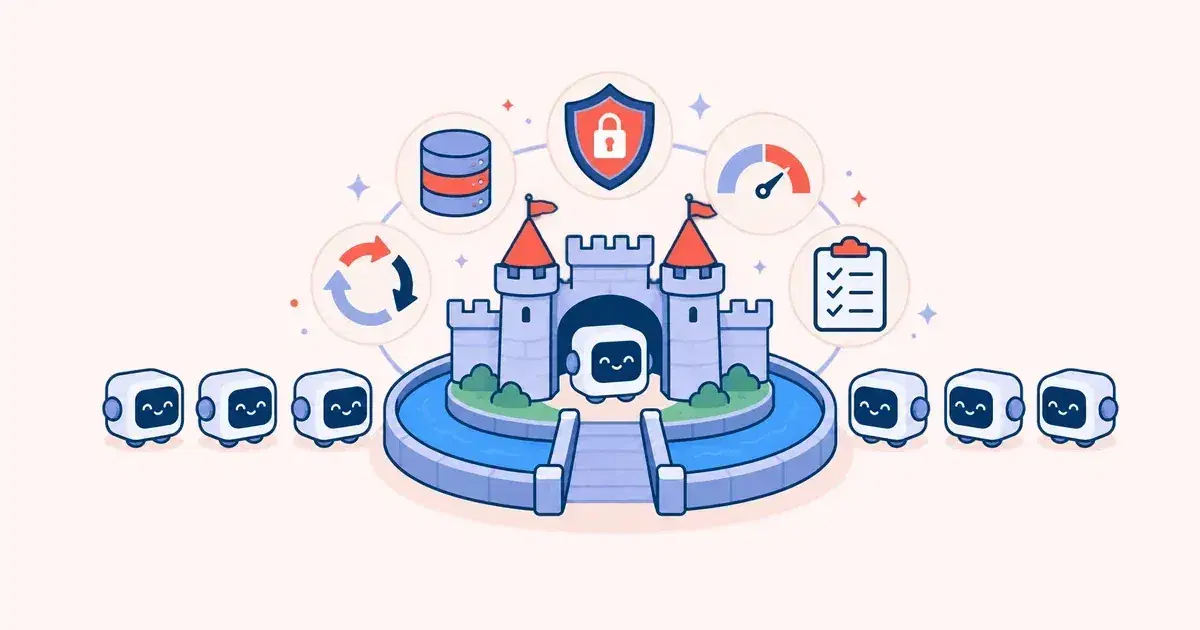
An operation grounded in this framework doesn't merely accelerate; it gets substantially sturdier. It absorbs sudden volume spikes without crashing and adapts as client requirements continue shifting. Leadership gains improved knowledge of client requirements, rooted in live conversation patterns rather than guesswork from escalated matters.
This advantage grows iteratively. Machines handling conversations inform a shared repository that makes subsequent chats a bit swifter and more precise. Each escalation correctly documented teaches the framework its capacity limits. A competent setup doesn't simply tackle present loads; it progressively handles coming growth minus corresponding spending or payroll increases.
Accomplishing this relies mostly not on which vendor platform you adopt but on integration rigor, information condition, and workflow structure. Standard automation writing glosses over this deliberately, yet it governs whether execution survives or gets quietly scrapped months downstream.
This factor clarifies why engaging a focused technical collaborator becomes increasingly valuable. A vendor marketing canned tools has limited motivation to probe deeply. They won't necessarily examine your information architecture, historical protocols, or the nuanced situations your team learned through experience.
An engineering partner constructing bridges alongside your staff has complete incentive for correctness. That's the distinction separating pilots that disappear from operations the organization genuinely depends on long-term.
TartLabs pursues these collaborations as outlined in this guide: readiness study foremost, sequential execution afterward, continuing refinement for operational longevity. Discover more concerning the group behind this method.
Conclusion
Establishing AI customer support automation that performs dependably at volume demands significantly more than attaching a chatbot. Success requires proper system architecture, solid information underpinning, and sequential rollout earning your organization's buy-in. Work with an experienced AI implementation partner like TartLabs to construct your answer—reach out to us to start.